
Choosing the right email marketing platform is one of the most critical decisions for your business. Whether you are sending cold outreach emails to generate leads or nurturing existing customers with beautifully designed newsletters, your choice of software dictates your success.
In 2026, GMass and Brevo (formerly Sendinblue) stand out as two of the most popular platforms on the market. However, despite both dealing in “email marketing,” they serve completely different purposes, audiences, and workflows.
If you are struggling to decide between the two, this comprehensive, SEO-friendly guide will break down exactly what each tool is, their core features, updated pricing, how to use them, and who they are best suited for. Let’s dive in!
What is GMass?
GMass is a robust cold email and mail merge platform designed to work exclusively inside your Gmail or Google Workspace inbox. Instead of logging into a separate web application, GMass integrates natively with your existing Gmail interface. It is built specifically for users who need to send personalized mass emails, manage cold outreach campaigns, and automate follow-ups without leaving their familiar inbox environment.
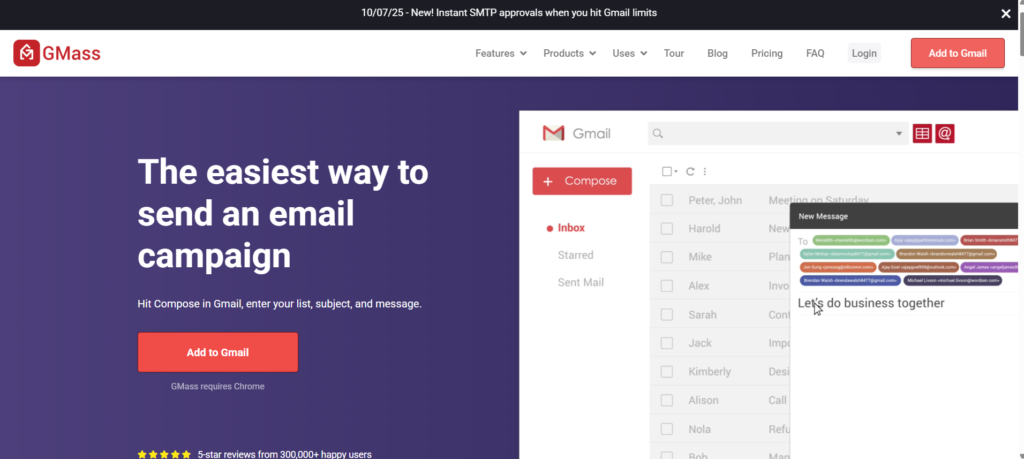
Because it operates within Google’s ecosystem, it offers seamless integration with tools like Google Sheets, making it incredibly popular among sales professionals, link-builders, and small business owners.
What is Brevo?
Brevo (which rebranded from Sendinblue) is a full-fledged, all-in-one digital marketing and customer relationship management (CRM) platform. Unlike GMass, which focuses on text-heavy cold outreach, Brevo is designed to handle the entire customer journey.
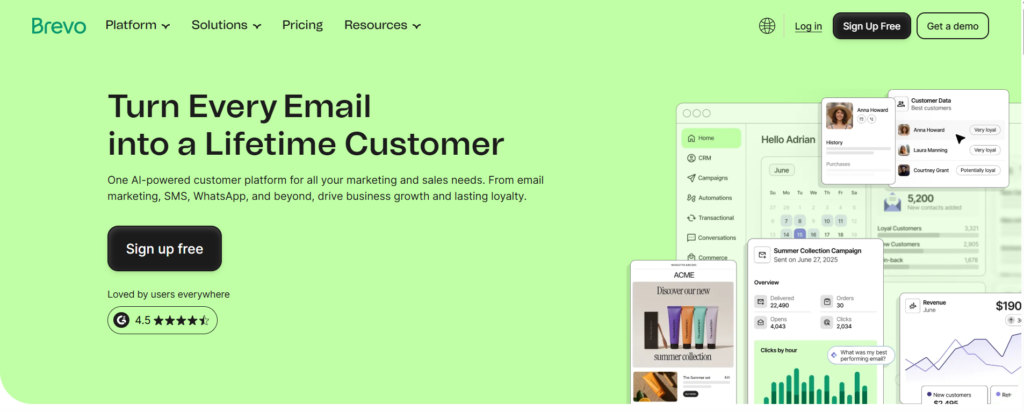
With Brevo, you get access to a standalone web application where you can design highly visual newsletters using a drag-and-drop editor, manage transactional emails, run SMS campaigns, and set up complex marketing automation workflows. It is tailored for e-commerce brands, content creators, and businesses looking for omnichannel marketing capabilities.
Key Features Comparison
To understand which tool reigns supreme for your specific needs, we need to look under the hood. Here is a detailed breakdown of the features both platforms offer.
GMass Core Features
- Google Sheets Integration: You can easily link a Google Sheet to your Gmail account. GMass will read the columns and automatically personalize your mass emails using merge tags.
- Automated Follow-ups: GMass allows you to build follow-up sequences. If a prospect doesn’t reply or open your first email, GMass will automatically send follow-ups based on the timeline and triggers you define.
- Inbox Rotation & Deliverability Tools: Higher-tier plans offer “MultiSend,” which rotates your outbound emails across multiple Gmail accounts to protect your sender reputation. It also features a built-in Spam Solver and free email verification.
- Bypassing Gmail Limits: In 2026, GMass introduced dedicated cold email sending servers and AI tools, allowing high-volume users to safely exceed Gmail’s native daily sending limits.
- AI Template Builder & Spintax: GMass uses AI to generate email variations (spintax), ensuring no two emails are exactly identical, which significantly boosts inbox placement rates.
Brevo Core Features
- Drag-and-Drop Campaign Editor: Brevo shines when it comes to visual design. You can choose from hundreds of ready-made templates or build polished, brand-aligned emails without any coding knowledge.
- Omnichannel Marketing: Beyond just email, Brevo allows you to manage SMS marketing and WhatsApp campaigns from the same dashboard.
- Visual Automation Builder: You can create complex, condition-based workflows. For example, if a user abandons their shopping cart, Brevo can automatically trigger a customized reminder email.
- Built-in CRM: Brevo offers a robust customer relationship management system where you can track user interactions, segment your audience based on behavior, and score leads.
- Transactional Emails: Through its robust SMTP service, Brevo reliably delivers transactional messages like password resets, order confirmations, and shipping updates.
How to Use Them?
Both platforms aim to be user-friendly, but they have completely different workflows.
How to Use GMass
GMass requires virtually no learning curve if you already know how to use Gmail.
- Installation: Install the GMass extension for Google Chrome.
- Data Prep: Create a Google Sheet containing your prospect list. Use column headers like “First Name,” “Company,” and “Email”.
- Drafting: Open Gmail, click “Compose,” and click the GMass spreadsheet icon to link your data. Draft your email and insert dynamic tags.
- Automation: Click the GMass settings arrow to configure automatic follow-ups, track opens/clicks, and schedule the exact time of sending.
- Launch: Hit the red “GMass” button instead of the standard blue “Send” button.
How to Use Brevo
Brevo requires you to set up your environment within their standalone platform.
- Setup: Create an account on Brevo’s website and authenticate your domain for deliverability.
- List Management: Upload your contacts via CSV or sync them through integrations (like Shopify or WordPress).
- Designing: Navigate to the “Campaigns” tab. Select the drag-and-drop editor to design a visually stunning newsletter.
- Automations: Go to the Automations tab to create a workflow (e.g., a 3-part welcome series for new subscribers).
- Review & Send: Select your target audience segment, preview the email across different devices, and hit send or schedule.
Detailed Pricing (Updated for 2026)
Pricing structures represent the biggest difference between the two platforms. GMass charges per user/inbox with unlimited emails, while Brevo charges based on the number of emails sent per month with unlimited contact storage.
GMass Pricing (2026)
GMass implemented slight price increases at the start of 2026 to account for powerful new AI and server features.
- Standard Plan: $29.95/month (or ~$20.75/month billed annually). Includes unlimited emails, campaigns, and standard mail merge.
- Premium Plan: $39.95/month (or ~$29.08/month billed annually). Adds advanced automated follow-up sequences, Zapier integration, and triggered emails.
- Professional Plan: $59.95/month (or ~$49.92/month billed annually). Unlocks the highest priority support and the MultiSend inbox rotation feature.
Brevo Pricing (2026)
Brevo’s pricing is tier-based depending on your sending volume.
- Free Plan: $0/month. You can store a massive amount of contacts (up to ~100k) but are limited to sending just 300 emails per day. Emails will include the Brevo logo.
- Starter Plan: Starts around $9/month for 5,000 emails/month. It removes the daily sending cap, making it good for light senders, but it notably lacks advanced automation. Note: Removing the Brevo logo costs an extra ~$9/month on this tier.
- Business / Standard Plan: Starts around $18/month for 5,000 emails and scales up based on volume (e.g., $69/month for 20k emails). This unlocks the true power of Brevo: marketing automation, landing pages, and A/B testing.
- Professional Plan: Starts at $499/month, designed for high-volume corporate senders requiring dedicated IP addresses and phone support.
Comparison Table: GMass vs Brevo
| Feature / Metric | GMass | Brevo |
| Best For | Cold outreach, B2B sales, mail merge | E-commerce, newsletters, transactional emails |
| Platform Interface | Lives entirely inside Gmail | Standalone web dashboard |
| Pricing Model | Per user/inbox (Unlimited emails) | Per email volume (Unlimited contacts) |
| Free Tier | Free Trial (50 emails/day for 7 days) | Free Plan (300 emails/day indefinitely) |
| Email Editor | Plain text / HTML (Looks like normal email) | Visual drag-and-drop template builder |
| Follow-up Automation | Yes, highly advanced text-based sequences | Yes, visually mapped user-journey workflows |
| SMS / WhatsApp | No | Yes (Integrated directly) |
| Learning Curve | Extremely Low (Familiar Gmail UI) | Moderate (Requires learning the dashboard) |
Who Should Use Which Tool?
You Should Choose GMass If:
- You rely on Cold Emailing: If your primary goal is B2B lead generation, link-building outreach, or recruiting, GMass’s plain-text approach feels more personal and authentic, easily bypassing the “Promotions” tab.
- You Love Google Workspace: If your entire business runs on Google Sheets, Gmail, and Google Drive, GMass is the ultimate native integration.
- You Want a Zero Learning Curve: You don’t want to learn how to navigate a complex CRM. If you know how to write an email in Gmail, you already know how to use GMass.
You Should Choose Brevo If:
- You run an E-Commerce Brand: If you need to send beautifully branded newsletters featuring high-quality images of your products, Brevo’s drag-and-drop builder is far superior.
- You Need Transactional Automation: If you want to automatically trigger emails when users abandon a cart, make a purchase, or sign up on your website, Brevo is built for this.
- You Want an All-in-One CRM: If you want your email, SMS marketing, and customer tracking housed under one roof without integrating third-party tools, Brevo is the ultimate cost-effective solution.
Final Verdict
Comparing GMass and Brevo is like comparing a sports car to an SUV—both are vehicles, but they are built for entirely different roads.
If your business relies on text-based outreach, networking, and high-volume cold email campaigns straight from your personal inbox, GMass is undeniably the better choice. It is lightweight, powerful, and built to drive responses.
On the other hand, if you are building an audience, running an online store, or nurturing inbound leads with highly visual content, Brevo provides the comprehensive suite of tools you need to build long-term brand loyalty.
Assess your primary marketing goals for the year, review the pricing tiers based on your list size, and choose the software that perfectly aligns with your workflow!